AI photo enhancers are software tools that improve image quality using machine learning models trained on large image datasets.
They commonly reduce noise, correct blur, increase resolution, and adjust lighting in ways that go beyond traditional sliders.
Unlike simple filters, these systems attempt to predict missing or damaged detail based on learned visual patterns.
Common Enhancement Goals and Typical Outputs
Most enhancers focus on clearer edges, smoother shadows, and reduced compression artifacts.
Modern noise reduction systems, such as those integrated into Adobe Lightroom’s AI Denoise feature, aim to remove grain while preserving fine detail.
Super Resolution tools, including Adobe’s machine-learning-based upscaling, attempt to reconstruct higher-resolution images from smaller files.
Google’s Photo Unblur uses machine learning to improve blurred faces and enhance perceived clarity in portraits.
Where AI Fits Compared With Classic Editing
AI enhancement, by contrast, attempts to restore or reconstruct information that appears degraded or missing.
Many professional editors integrate AI as an optional “Enhance” step within RAW workflows.
In practice, classic editing refines captured data, while AI restoration estimates what should be present.
Core Techniques Behind Modern Enhancers
Most AI enhancers rely on deep learning architectures, especially convolutional neural networks.
These networks learn mappings between degraded and high-quality image pairs during training.
Residual learning techniques help models focus on predicting what needs correction rather than rebuilding entire images.
Some modern systems also use generative models that can synthesize plausible textures and details.
Denoising and Grain Reduction
Deep denoising models such as DnCNN use residual learning to remove noise effectively.
Research like Noise2Noise demonstrated that clean reference images are not always required during training.
Commercial AI denoise tools aim to reduce high ISO grain while maintaining texture and edges.
Super-Resolution and Upscaling
Super-resolution increases image size while attempting to preserve sharpness.
Real-ESRGAN is a widely cited model designed for real-world blind super-resolution.
Adobe describes its Super Resolution as trained on millions of images to produce sharper, enlarged files.
Deblurring and Sharpening
Deblurring attempts to reverse motion or defocus blur using learned restoration models.
DeblurGAN introduced a generative adversarial approach for motion deblurring.
Consumer tools often combine learned sharpening with noise control to avoid harsh edges.
Capability Areas in Consumer and Professional Tools
Most AI photo enhancers combine restoration features with tone and color adjustments.
Professional tools emphasize RAW support and nondestructive editing workflows.
Mobile apps prioritize one-tap simplicity for everyday photography.
Face-aware processing has become a common feature in both desktop and mobile platforms.
Lighting and Dynamic Range Adjustments
Some enhancers apply machine learning to balance highlights and shadows.
Google Research has explored ML-based HDR editing for improved tonal consistency.
Commercial products bundle lighting adjustments alongside denoise and sharpen functions.
Object Removal and Inpainting
Object removal features use inpainting to fill deleted regions.
Diffusion-based models, such as those described in RePaint research, can generate realistic replacements.
These edits should be considered content alteration rather than simple correction.
Portrait and Face Restoration
Face-aware enhancement focuses on eyes, skin texture, and contours.
Google’s Photo Unblur applies machine learning to clarify facial features.
Many commercial suites advertise “face recovery” as part of portrait optimization.
Strengths and Practical Benefits
AI enhancement can significantly improve low-light or high-noise images.
Upscaling allows small images to print larger with more convincing detail.
Deblurring tools can recover usable clarity from mild motion blur.
Batch processing makes enhancement practical for large photo collections.
Efficiency Gains in Workflow
AI tools can reduce manual retouching time.
One-click options make complex corrections accessible to non-experts.
Integrated workflows in software like Lightroom streamline enhancement within existing editing processes.
Improvements for Archival and Old Photos
Old scanned photos often contain grain and faded detail.
AI restoration tools can reduce noise and improve contrast in these images.
However, restored detail may be estimated rather than historically exact.
Limitations and Risks
AI systems are probabilistic and may hallucinate detail.
Artifacts can appear as halos, repeated textures, or waxy skin.
Aggressive sharpening can exaggerate noise or distort edges.
Extreme blur or compression remains difficult for any model to fix fully.
Accuracy Concerns
Generated detail may look realistic but not match the original scene.
This matters in journalism, legal evidence, and scientific documentation.
Comparing before-and-after images at full resolution is essential.
Overprocessing Effects
Stacking denoise, sharpen, and upscale can amplify artifacts.
Subtle adjustments typically produce more natural results.
Keeping the original file ensures reversibility.
Privacy and Data Handling
Some AI enhancers process images locally on the device.
Others rely on cloud-based servers for computation.
Uploading sensitive photos may raise privacy concerns.
Users should review privacy policies before processing confidential images.
On-Device vs Cloud Processing
On-device tools keep data within local hardware.
Cloud processing may offer stronger models but requires an upload.
Choosing offline workflows can increase privacy control.
How to Evaluate an AI Photo Enhancer
Testing with multiple image types reveals strengths and weaknesses.
Low-light portraits, landscapes, and text-heavy scenes show different challenges.
Zooming to 100 percent helps identify artifacts clearly.
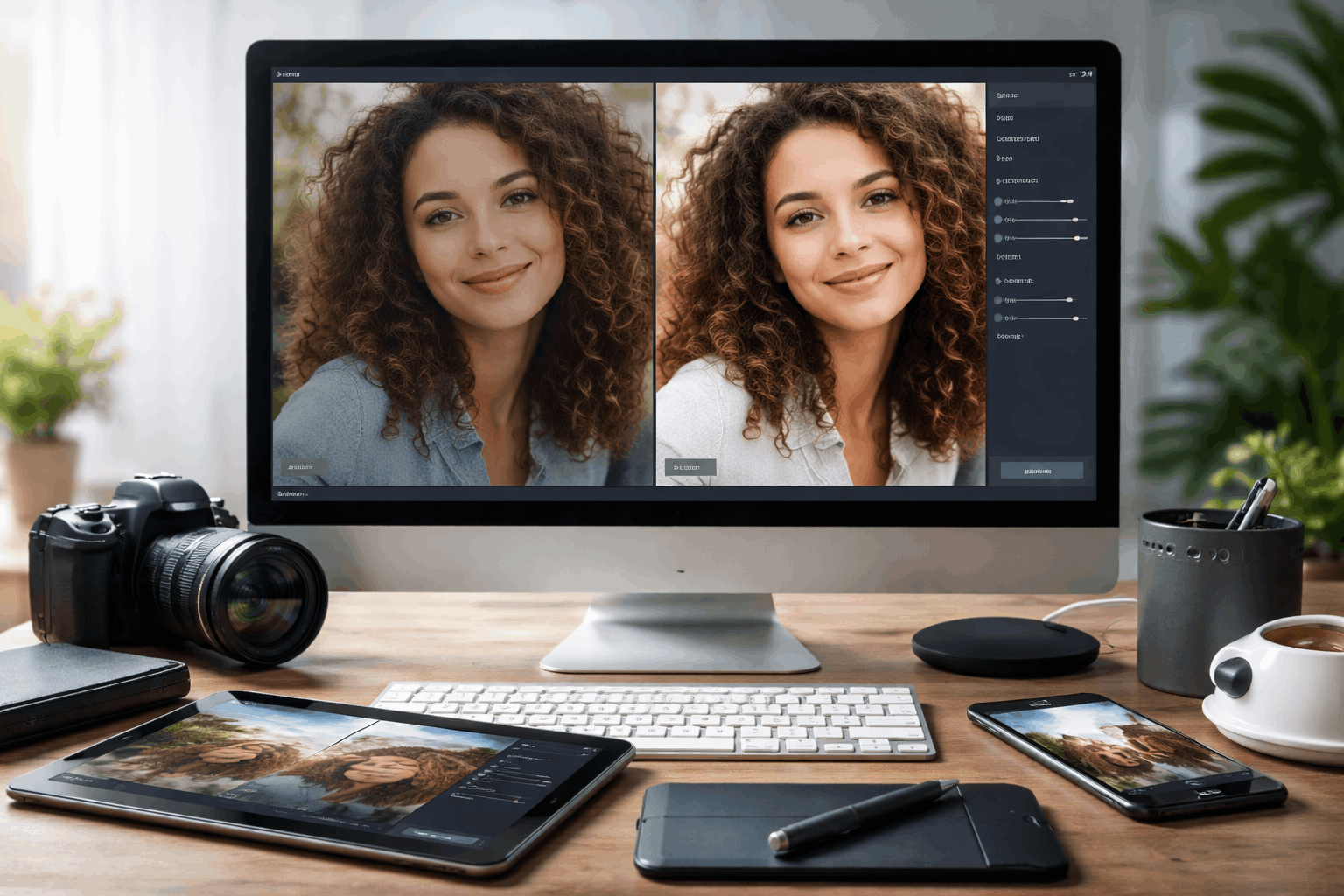
Side-by-side comparison supports informed judgment.
Matching Features to Needs
For noise-heavy photos, prioritize advanced denoise capabilities.
For small images, focus on super-resolution performance.
For portraits, assess face-aware sharpening carefully.
Practical Quality Checklist
Inspect edges for unnatural halos.
Check flat areas for banding or smoothing.
Avoid maximum settings unless necessary.

Choosing the Right Tool
Professional photographers may prefer desktop editors with RAW support. Casual users may favor mobile apps with automated enhancement.
Budget, workflow integration, and privacy preferences all influence selection.
Reliable evaluation depends on testing with real-world images rather than marketing examples.
AI photo enhancers offer meaningful improvements when used thoughtfully. Their effectiveness depends on realistic expectations and careful review of results.
List of AI photo enhancers
See:
Professional & Desktop Enhancers
- Adobe Lightroom (AI Enhance / Super Resolution) – AI-powered noise reduction and upscaling.
- Adobe Photoshop Neural Filters – Includes AI-based enhancement tools.
- Topaz Photo AI – Dedicated AI suite for noise reduction, sharpening, and upscaling.
- Topaz Gigapixel AI – AI upscaling for high-resolution outputs.
- ON1 NoNoise AI – AI noise reduction and detail recovery.
Mobile & Consumer Tools
- Google Photos (Unblur & Magic Enhance) – Automatic AI fixes on mobile and web.
- Luminar Neo – AI tools for denoising, sky replacement, and detail enhancement.
- Photoleap AI Enhancer – Mobile-focused enhancer with intuitive AI tools.
- Remini – Mobile app for restoring old or low-resolution photos.
- VSCO (AI Filters) – AI-influenced presets and enhancements for mobile edits.
Web-Based and Cloud Enhancers
- Let’s Enhance – Online AI upscaling and enhancement.
- Enhance.Pho.to – Web-based automatic enhancement suite.
- Fotor AI Image Enhancer – Cloud editor with AI-powered enhancement.
- DeepAI Image Enhancer – Online tool using AI models for sharpening and clarity.
- Upscalepics – Web AI upscaler and noise reducer.
Conclusion
AI photo enhancers combine deep learning restoration techniques with practical editing workflows to improve image clarity, resolution, and tonal balance.
Their strengths lie in noise reduction, super-resolution, and portrait refinement, but results depend on careful use and realistic expectations.
Used thoughtfully and reviewed critically, these tools can extend the usable life of images while preserving visual credibility.